Stop saving.Start showing up.

The iOS app for everyone whose camera roll is a graveyard of plans. Screenshot, dictate, paste, or share anything in — you review it, and Plumly keeps it ready in Saved and Up Next.

Download on App Store See how it works
FREE · iOS · NO ADS · NO TRACKING
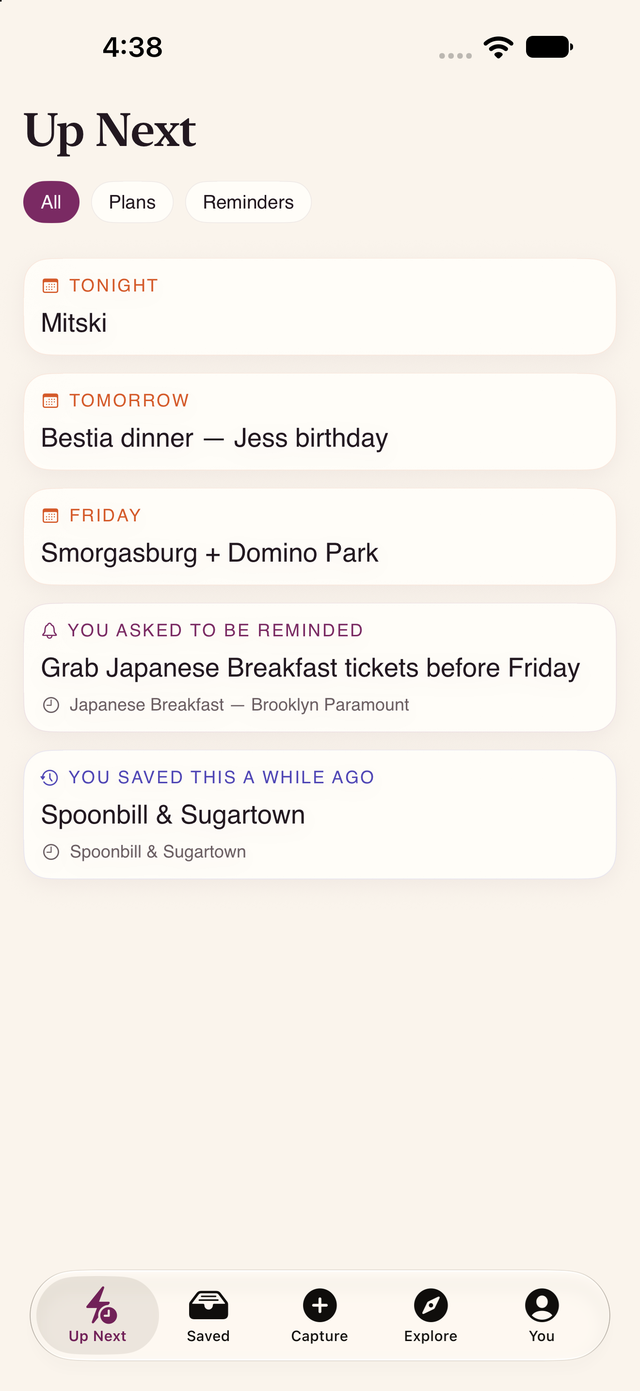
Plumly's Up Next screen: tonight's Mitski show, tomorrow's dinner, a Friday plan, a reminder you asked for, and a place you saved a while ago.

Up Next — your plans and the reminders you set, in one place.

Five ways in. You review. It's saved.

However you save it, Plumly reads it and suggests what it is — a place, an event, an idea — and pulls out details like the date or the venue. You see the suggestion and confirm before anything is saved.

📸
Screenshot
A flyer, a menu, a post. Import it and Plumly suggests the date, the venue, the address — you review, then save.
🎤
Voice note
Long-press the +, speak, release. You see the transcript and can edit it before it's turned into a save.
📋
Paste a link
From Messages, Safari, anywhere. Plumly pulls the preview, the photo, and the date for you to confirm.
↗
Share sheet
Tap Share from another app and pick Plumly. Article, post, place, image — straight into your review.
📷
Camera
Looking at a flyer in the world? Snap it in Plumly and review it on the spot — no leaving the app.
⌨️
Just type it
Type an idea or a plan straight into Capture. No source needed — write it, review, save.
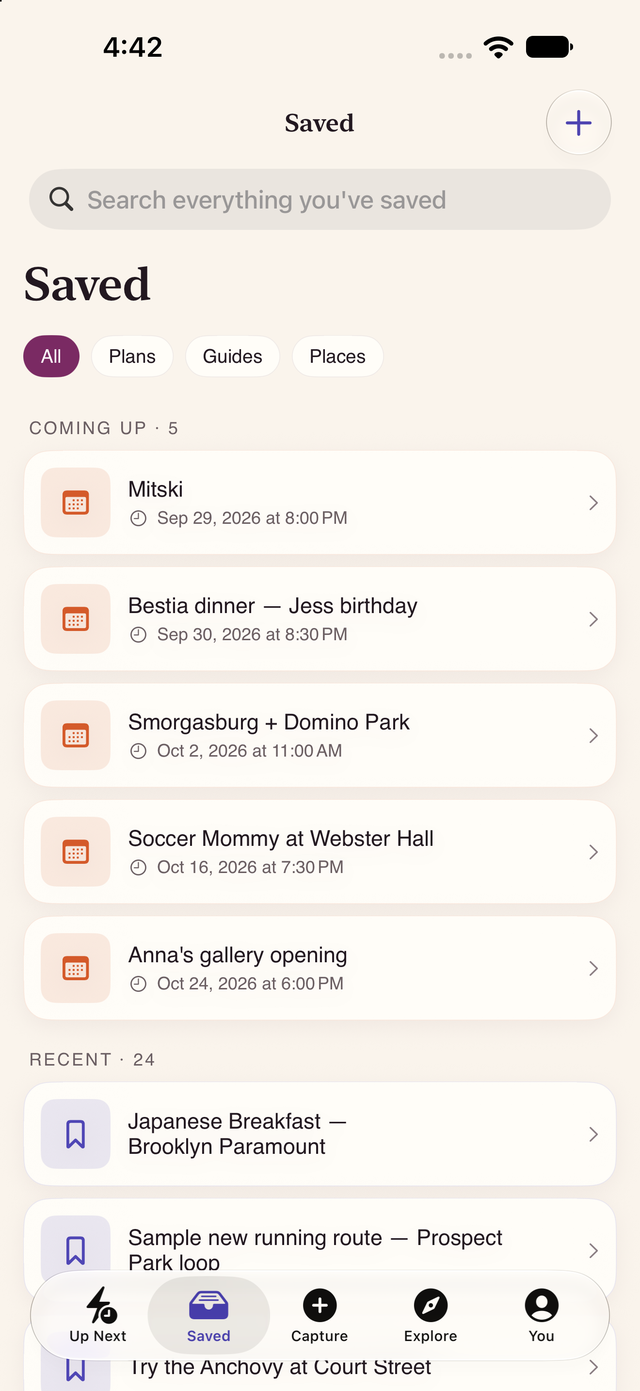
Plumly's Saved screen with a search bar, filters for Plans, Guides and Places, a Coming Up list of dated events, and a Recent list of saves.

Saved — everything you kept, in one searchable place

Every save lands in one Library, sorted into plans, places, and ideas, and grouped into lists you make. What's coming up floats to the top; everything else is a tap-search away.

Nothing is filed away by hand. Search "that sandwich place" and it's there.

Plumly's Up Next screen showing tonight's and this week's plans alongside a reminder the user asked for.

Up Next — the plans and reminders you chose

Up Next gathers what's coming and the reminders you set yourself — "remind me to grab tickets before Friday," or a nudge about something you saved a while ago. You decide what gets a reminder; Plumly just keeps them together.

Reminders use notifications only after you allow them, and you can turn any of them off.

A save app that actually helps you follow through.

Plumly keeps what you capture ready to act on — with the reminders, calendar events, and backups you choose. You're always in control of what happens.

Reminders you set

Ask Plumly to remind you about a save — before a show, before a deadline, or just later. Notifications turn on only with your permission.

Calendar, only when you say so

Turn a captured plan into a real calendar event when you want one. Plumly asks for calendar access first and adds nothing on its own.

One tap to act

Open a saved spot in Maps, look up tickets for an event, or send it to a friend — the action is right there on the save.

Sign in your way

Start as a guest and keep your captures, or sign in with Apple to sync across your devices. Your account email stays private.

Optional backup

Back up your library to the cloud if you want it on more than one device. It's optional and off until you choose to turn it on.

Private by default

No ads, no trackers. Your personal notes stay on your device and in your account — never shown publicly. Delete your account and everything goes with it.

Share your recommendations as a Guide In Apple review

Coming in the next update — submitted for Apple review. The sharing features below aren't in the app yet. We'll update this page once the new version is approved and live on the App Store.

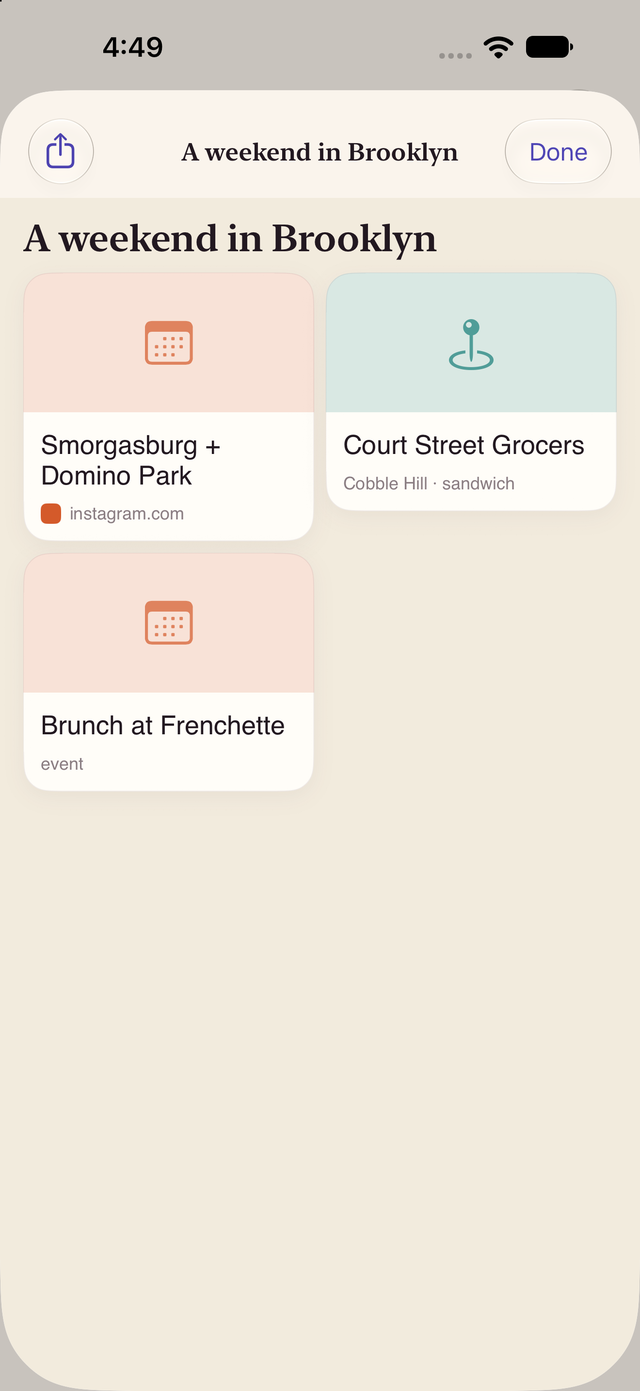
A Plumly Guide titled A weekend in Brooklyn, showing saved places and events like Smorgasburg, Court Street Grocers, and brunch at Frenchette, with a share button.

Public & unlisted Guides, with one stable link

Put the places you love into a Guide and share a single link — public, or unlisted for just the people you send it to. Update the Guide later and the same link keeps working; nothing re-links.

Anyone can open your Guide in a browser to preview it, or save their own editable copy in Plumly. Their edits never change yours, and yours never change theirs.

A profile that's just your Guides

Your public profile shows only the Guides you've chosen to publish — a display name and handle, nothing from your private library.

Follow people whose taste you trust

Follow someone to keep up with the Guides they publish. No feed to scroll, no algorithm — just the recommendations you asked for.

Save the whole Guide at once

Open a Guide and save its contents into your own Plumly in a tap — every spot ready to act on, kept as your personal copy.

Free
To download
0
Ads, ever
0
Trackers
1
Boutique studio

"We all screenshot hundreds of plans a year and get to almost none of them. Plumly is the app we built so the things you save are still there — and ready — when you finally have the time."

— Cedarline Technologies, the studio behind Plumly

Stop saving. Start showing up.

Free. iOS. No ads, no tracking.

Download on App Store